Troubleshooting Slow Charging on Battery Powered Forklifts
Slow charging on a battery powered forklift usually stems from thermal limits, loose connections, or a failing charger. This guide outlines how to identify symptoms, run basic diagnostics, and apply targeted fixes to reduce downtime.
- Check thermal limits and airflow before blaming the charger itself.
- Clean and tighten battery terminals and connector pins regularly.
- Match charger amperage to battery size and shift profile to avoid prolonged charging.
- Log charge cycles and runtime to spot degradation patterns early.
- Keep spare chargers and battery packs available for high utilization fleets.
Slow charging on a battery powered forklift is one of the most common operational complaints in warehouse and distribution environments. It often appears as a charger that runs longer than expected, a battery that does not reach full capacity, or a forklift that loses power earlier in the shift than usual. The problem is rarely a single failure. It is usually a combination of heat, connection resistance, charger age, and battery condition working against each other.
This guide walks through the practical steps to identify and fix charging delays. It covers the symptoms to watch for, the most likely causes, and the specific actions a maintenance team or operator should take. The goal is to help you isolate the problem quickly so you can keep the forklift in service and avoid unnecessary downtime.
What Symptoms Indicate a Charging Problem
Before opening a panel or calling a service engineer, look at the behavior of the forklift during and after a charge. Charging issues often show up in predictable ways.
A forklift that takes significantly longer than usual to reach a full charge is the most obvious sign. If a unit typically fills a battery in four hours and now takes six or more, something is restricting the current flow or the battery is not accepting it. Another symptom is a charger that stays on a high-amperage draw for most of the cycle. On a healthy charge, the amperage should taper down as the battery fills. If it stays high, the battery may be degraded or the charger controller may be malfunctioning.
Operators also report a “false full” situation. The charger indicates the charge is complete, but the forklift loses power quickly under load. This points to a battery that has lost its ability to hold a charge or a state-of-charge sensor that is reading incorrectly.
Finally, watch for heat. If the charger housing or the battery tray is unusually warm to the touch, or if you smell burnt insulation, stop charging immediately. Heat is a safety hazard and a sign that the charging process is not going as designed.
Likely Causes and Fixes at a Glance
The following table summarizes the most common causes of slow charging and the actions to take. Use this as a quick reference during your initial inspection.
| Symptom | Likely cause | What to do |
|---|---|---|
| Charger runs longer than normal | Thermal protection limiting amperage | Improve airflow, check fan operation, ensure ambient temperature is within spec |
| High amperage draw persists | Degraded battery cells | Run a capacity test, check individual cell voltages, replace weak cells or battery |
| Charger indicates full but runtime is low | State-of-charge sensor error | Calibrate the sensor or replace the module, verify battery health |
| Intermittent charging or errors | Loose or corroded terminals | Clean connections, tighten hardware, check for moisture in connectors |
| Charger housing is very hot | Failing fan or thermal runaway | Shut down unit, inspect fan, clean vents, check charger internal components |
Inspect the Charging Environment and Airflow
Heat is the enemy of fast and safe charging. Most battery powered forklifts use chargers that are designed to manage heat, but they still rely on ambient conditions to function correctly. If the charger is placed in a closed cabinet, against a wall, or in a room with poor ventilation, it will trigger thermal protection. This protection reduces the charging current to prevent damage to the battery or the charger itself.
Check where the forklift is parked during charging. Is there at least 15 to 20 centimeters of clearance around the charger? Are the intake and exhaust vents blocked by dust, packaging, or other equipment? A simple test is to run the charger in a well-ventilated area and compare the charge time to the standard. If the time drops significantly, the issue is environmental.
Clean the fan grilles and internal filters if the charger has them. Dust buildup on the fan blades or in the heat sinks can reduce airflow by half, even if the fan is technically working. Use compressed air or a soft brush to remove debris. Never use water near the electrical components.
Also consider the ambient temperature. If your warehouse is unheated in winter or has poor air exchange in summer, the battery and charger may be operating outside their ideal temperature range. Batteries charge faster and last longer when kept within the manufacturer recommended temperature window. If you cannot control the room temperature, consider relocating the charging area to a more stable zone.
Check Connections and Terminals
A high-resistance connection is one of the most common causes of slow charging and it is also the easiest to fix. Over time, battery terminals, connector pins, and cable clamps can loosen, corrode, or develop oxidation. This creates a small but significant resistance that generates heat and reduces the effective current reaching the battery.
Start with the battery tray. Remove the battery if it is removable, or access the top terminals if it is a fixed pack. Look for white or blue powdery residue on the terminals. This is corrosion. It can be removed with a non-abrasive pad and a dilute baking soda solution, followed by thorough rinsing and drying. Apply a thin coat of dielectric grease to the terminals after cleaning to prevent future oxidation.
Tighten all hardware. Use the correct torque specifications if available. Overtightening can damage the terminal, while undertightening allows movement that loosens the connection over time. Check the charger cable itself for cuts, kinks, or exposed wires. A damaged cable can cause intermittent faults or high resistance.
Do not overlook the connector pins. In many modern forklifts, the main connection is a multi-pin connector rather than individual terminals. Inspect the pins for bending or corrosion. Clean the pins with electrical contact cleaner and a soft brush. If a pin is bent, it should be replaced, not bent back by hand, as this can damage the mating socket.
Verify Charger Health and Settings
If the environment and connections are fine, the next step is to examine the charger itself. Chargers are not all the same. Some are simple constant-current units, while others are intelligent multi-stage chargers that adjust their output based on battery temperature and state of charge.
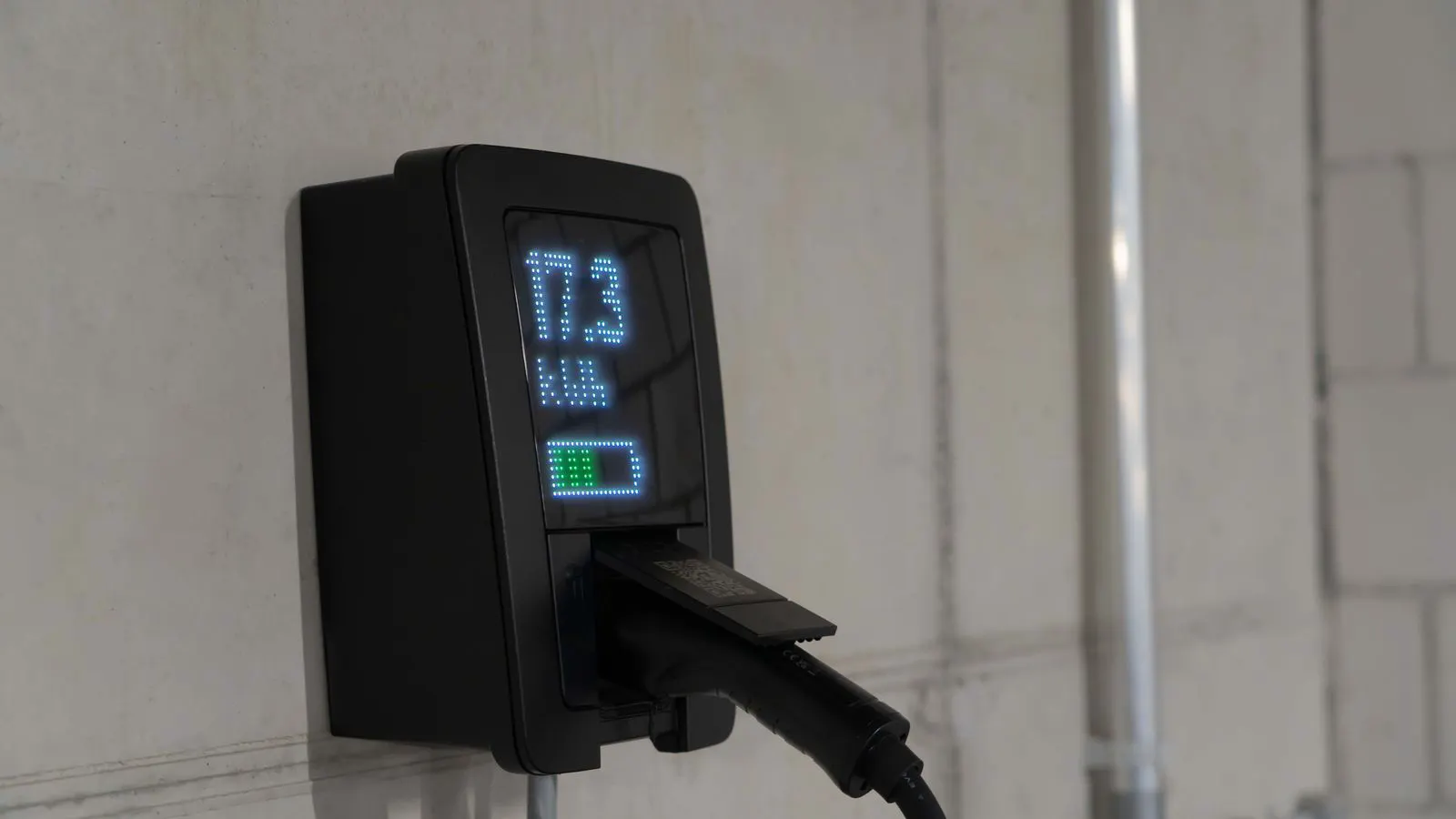
Check the charger display. If it has one, look for error codes or specific messages. Even if it is silent, listen to it. A healthy charger may hum or click as the internal contacts engage and disengage. A grinding noise, a buzzing sound, or a complete silence when power is applied can indicate a fault.
Test the amperage if you have a clamp meter. Measure the current draw at the input. Compare it to the rated amperage of the charger. If the charger is rated for 100 amperes but only draws 30, it may be in a low-current mode or failing. Check the settings on the charger control panel. Some chargers have a “trickle” or “maintenance” mode that can be accidentally left selected. Ensure it is set to the correct charge profile for the battery type.
If the charger has been in service for several years, consider its age. Internal capacitors, contactors, and cooling fans degrade over time. A charger that used to charge in four hours may now take six or eight due to internal component wear. If the charger is old and the battery is new, swapping the charger for a known good unit is a quick diagnostic. If the charge time returns to normal, the old charger needs repair or replacement.
Assess Battery Condition and Health
If the charger and connections are working correctly but the battery still charges slowly, the battery itself may be the issue. Batteries are consumable components. Even high-quality industrial batteries degrade over time due to the thousands of charge cycles they undergo.
Run a capacity test if you have the equipment. This involves fully discharging the battery to a low cutoff voltage and then measuring how much charge it accepts and how much power it delivers. A battery that has lost significant capacity will show a lower percentage of its original rating.
Check the individual cells. In a multi-cell battery pack, one weak cell can drag down the entire pack. If you can access the cell voltages, look for any cell that is significantly lower than the others. A single bad cell can cause the charger to limit current to protect the pack, resulting in slow charging.
Also consider the battery age. If the battery is older than four or five years, or has gone through a high number of cycles, replacement may be the most cost-effective solution. Sometimes it is cheaper to replace the battery than to spend time diagnosing a marginal unit. Keep a log of charge cycles and runtime for each battery. This data helps you predict when a replacement is needed and avoids unexpected failures.
Preventive Maintenance and Best Practices
Once you have identified and fixed the immediate issue, put a routine in place to prevent slow charging from becoming a recurring problem. A simple monthly checklist can save hours of downtime.
- Clean the charger vents and fan grilles.
- Inspect and clean battery terminals and connector pins.
- Check cable integrity for damage or wear.
- Verify charger settings are correct.
- Log charge times and runtime for each unit.
Train your operators to report unusual charging behavior early. An operator who notices that a forklift is taking longer to charge is often the first to spot a developing problem. Encourage them to note the date, the charge time, and any unusual heat or smells. This information is gold for your maintenance team.
Finally, consider your charging strategy. If you have a large fleet, look into opportunity charging. This involves charging the forklift in short bursts during natural breaks in the work cycle, such as between pallets or during meal breaks. This spreads the heat load and reduces the peak current demand. It also allows you to use smaller, faster chargers instead of large, slow ones. It is a different approach to the problem, but it can be very effective in high-utilization environments.
When to Call a Service Engineer
Some issues are beyond the scope of routine maintenance. If you have checked the environment, connections, and charger settings and the problem persists, it is time to call a qualified service engineer.
Call for service if you see:
- Burning smells or visible smoke.
- Swollen battery cases or leaking electrolyte.
- Charger error codes that are not in the manual.
- Intermittent faults that are hard to reproduce.
- A battery that fails a capacity test.
Do not attempt to open the charger housing or the battery pack yourself unless you are trained and have the proper safety equipment. High voltage and high current can be dangerous. A qualified engineer has the tools and training to diagnose internal faults safely.
Conclusion
Slow charging on a battery powered forklift is rarely a mystery. It is usually a combination of heat, resistance, and wear. By following the steps in this guide, you can isolate the problem and apply the right fix. Start with the environment, check the connections, verify the charger, and assess the battery. A little routine maintenance goes a long way toward keeping your fleet running at full capacity.
Frequently asked questions
Can I charge a forklift battery at night to save energy costs?
Yes, if your facility has off-peak electricity rates. However, ensure the charging area is well-ventilated and that the batteries are not left unattended for extended periods.
How often should I clean the battery terminals?
At least once a month in dusty or humid environments. In cleaner environments, every three months is usually sufficient.
What is the difference between a fast charger and a standard charger?
A fast charger uses higher amperage and often more advanced thermal management. It charges quicker but may generate more heat. A standard charger is slower but often simpler and cheaper to maintain.
Can using a cheaper charger save money in the long run?
Not necessarily. A cheap charger may have shorter life, poorer thermal management, or lower amperage. It can lead to more frequent replacements and slower charging, which offsets any initial savings.
How do I know if my battery is degraded?
Look for reduced runtime, slower charge times, or a capacity test result below 80 percent of its original rating. Keeping a log of runtime helps you spot this trend early.